Smart Home Security on a Budget: How to Protect Your Home for Less
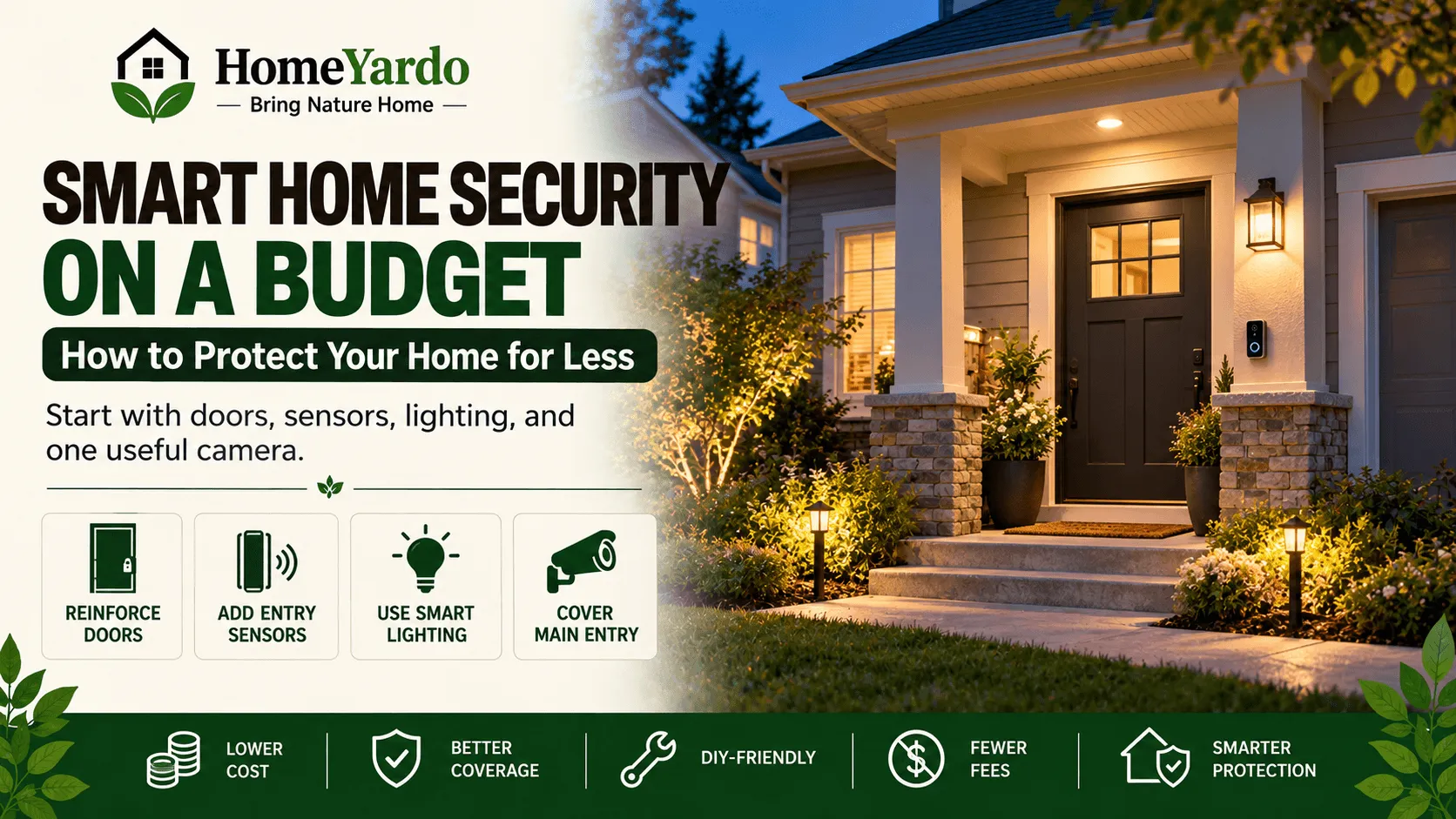
You do not need an expensive collection of cameras, sensors, subscriptions, and automation devices to improve home security. A well-planned budget system starts with the places where someone is most likely to approach or enter the property, then adds technology only where it solves a specific security problem.
For many homes, that means starting with reliable door hardware, entry sensors, exterior lighting, and a camera or video doorbell covering the main entrance. From there, homeowners can decide whether additional cameras, smart locks, professional monitoring, or other connected devices justify the added cost.
The goal of smart home security on a budget is not to buy the cheapest equipment available. It is to spend money where it provides useful coverage while avoiding unnecessary hardware and recurring fees.
How Much Does Smart Home Security Cost?
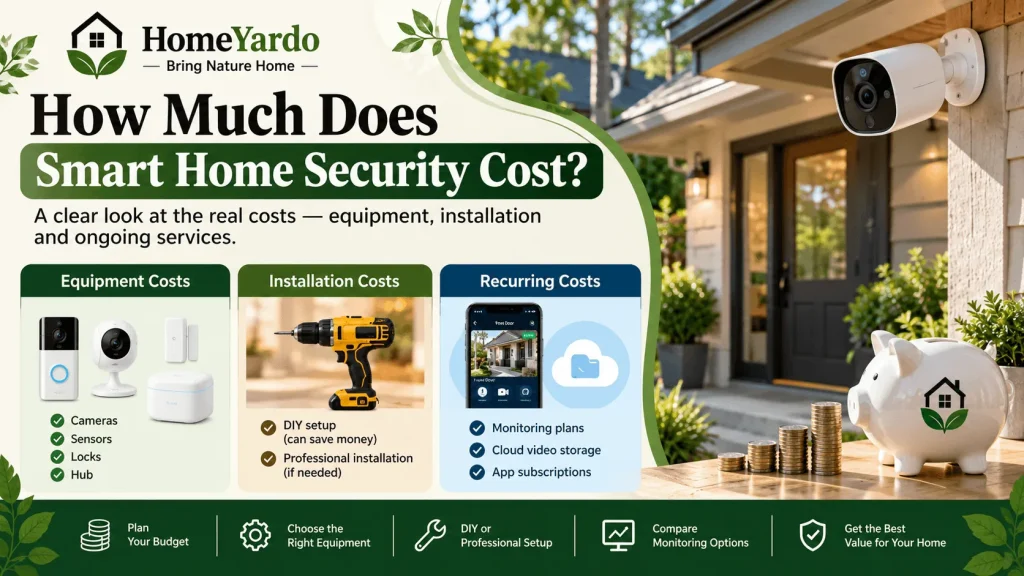
The purchase price of a security kit does not tell you what the system will actually cost over time.
A home security budget generally includes three types of expenses:
- Equipment, such as sensors, cameras, locks, alarms, and a hub
- Installation, if professional setup is required
- Recurring services, including monitoring or cloud video storage
According to How Much Does a Home Security System Cost in 2026? – NerdWallet, a base home security kit averages about $230, while monitoring costs depend on the service level and provider.
Those figures should be treated as general benchmarks rather than fixed prices. Equipment packages, promotions, monitoring plans, storage subscriptions, and installation charges can change.
Equipment Costs
Start with the equipment needed to cover actual vulnerabilities rather than purchasing the largest starter package.
A smaller home may initially need only a few entry sensors and one well-positioned camera. A detached home with several exterior doors, a garage, side access, and a long driveway may require broader coverage.
Before buying a kit, count the doors, accessible windows, and exterior areas you actually want to monitor.
DIY vs. Professional Installation
Many current wireless security products are designed for homeowner installation.
Battery-powered sensors, wireless cameras, and app-guided setup can reduce or eliminate installation charges. DIY installation makes the most sense when the equipment is straightforward and the homeowner can position and test each device correctly.
Hardwired cameras, electrical work, difficult mounting locations, or more complicated whole-home systems may justify professional installation.
Self-Monitoring vs. Professional Monitoring
Self-monitoring sends alerts directly to a phone or other connected device. It can substantially reduce recurring costs, but someone still has to see the alert, determine what happened, and respond.
Professional monitoring adds a recurring fee in exchange for a monitoring service that can respond according to the provider’s procedures.
Neither approach is automatically better. The right option depends on how often the home is occupied, how quickly household members can respond to alerts, and how much recurring cost fits the budget.
Start With the Security Risks Around Your Home
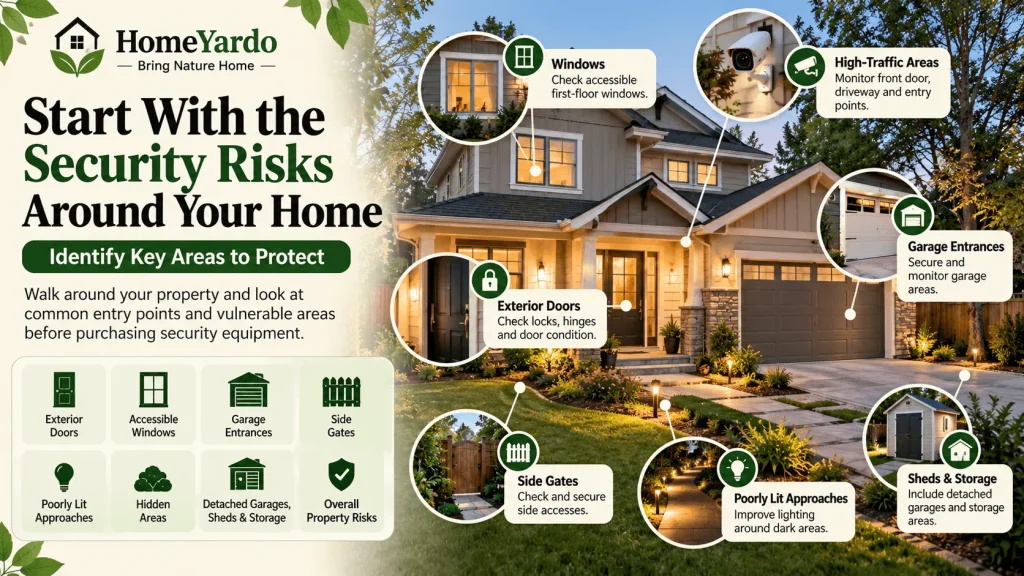
Before purchasing equipment, walk around the property and identify how people normally approach it.
Look at:
- Exterior doors
- First-floor or otherwise accessible windows
- Garage entrances
- Side gates
- Poorly lit approaches
- Areas hidden from the street or neighboring properties
- Detached garages, sheds, or storage areas
This simple assessment helps prevent a common mistake: buying several cameras while leaving an obvious entry point poorly protected.
Doors and First-Floor Windows
Exterior doors should generally receive attention before secondary cameras or convenience-focused smart devices.
Check the condition of the door, frame, lock, strike plate, hinges, and nearby windows. Smart sensors can tell you when an opening occurs, but they should complement suitable physical security rather than replace it.
Accessible windows can then be assessed according to their location and likelihood of use as an entry point.
Front Door, Driveway, and Other High-Traffic Areas
The front entrance is often the most useful location for the first camera or video doorbell because it can cover visitors, deliveries, and routine activity.
The next camera should address a real blind spot rather than duplicate footage you already have.
Depending on the property, that may be a driveway, garage, side entrance, or backyard access point.
Protecting the Property Beyond Electronic Security
Property protection is broader than cameras and alarms.
Water intrusion, electrical damage, pests, deteriorating locks, and other maintenance problems can also create costly risks. In humid or wooded areas, homeowners may combine electronic security with routine property inspections and services such as pest control Flowery Branch homeowners can use when pest activity is a concern.
A security camera can record activity around a house, but it cannot identify termites inside a wall or repair moisture damage. A sensible property-protection plan therefore combines security technology with routine maintenance and inspection.
Where to Spend: Security Features Worth Paying For
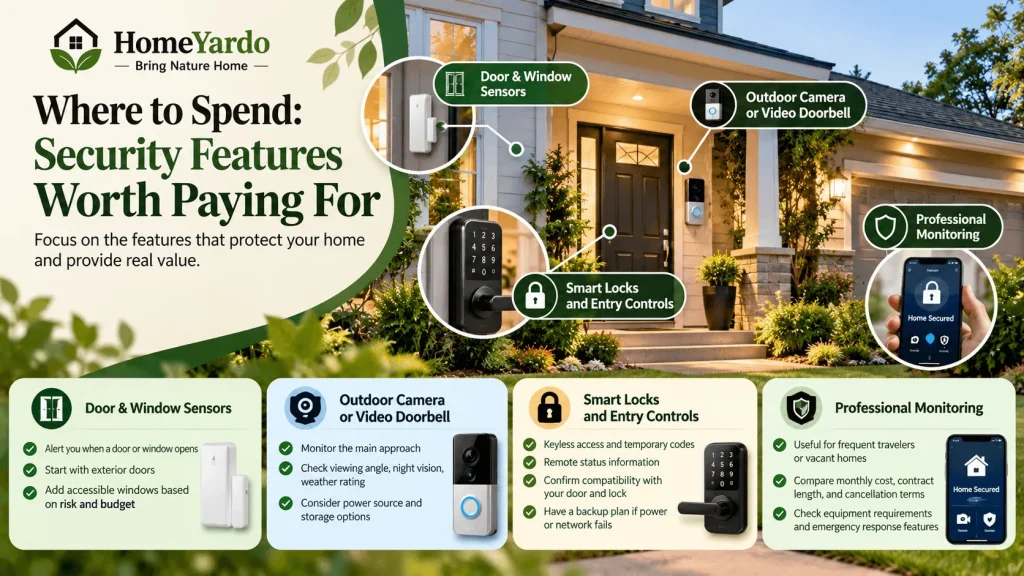
When the budget is limited, prioritize equipment that addresses likely entry points or improves your ability to identify what is happening around the property.
Door and Window Sensors
Entry sensors are relatively simple devices, but they provide useful coverage because they alert the system when a protected door or window opens.
Start with exterior doors and then add sensors to accessible windows according to risk and budget.
A Well-Placed Outdoor Camera or Video Doorbell
One correctly positioned camera can be more useful than several poorly placed cameras.
Prioritize a location that captures a clear approach to the property while respecting neighboring privacy. Check the viewing angle, night performance, weather rating, Wi-Fi signal, power source, recording method, and storage costs before purchasing.
Homeowners trying to avoid recurring charges can compare systems with local recording options rather than assuming every camera requires a monthly cloud subscription.
Smart Locks and Entry Controls
A smart lock can provide useful features such as keyless access, temporary codes, or remote status information.
Before buying one, confirm that it is compatible with the existing door and lock arrangement. Also consider what happens if the battery dies, the network goes down, or the app becomes unavailable.
A smart lock should still provide a reliable way to enter the home when connected features fail.
When Professional Monitoring Makes Sense
Professional monitoring may be more attractive for households that travel frequently, leave the property empty for long periods, or want another layer of response when they cannot check an alert themselves.
Before signing up, compare:
- Monthly cost
- Contract length
- Cancellation terms
- Equipment requirements
- Cellular backup
- Alarm verification procedures
- Available emergency-response features
Do not choose monitoring solely because it is bundled with discounted hardware. Calculate the total cost over the full contract period.
Where to Save Without Sacrificing Basic Protection
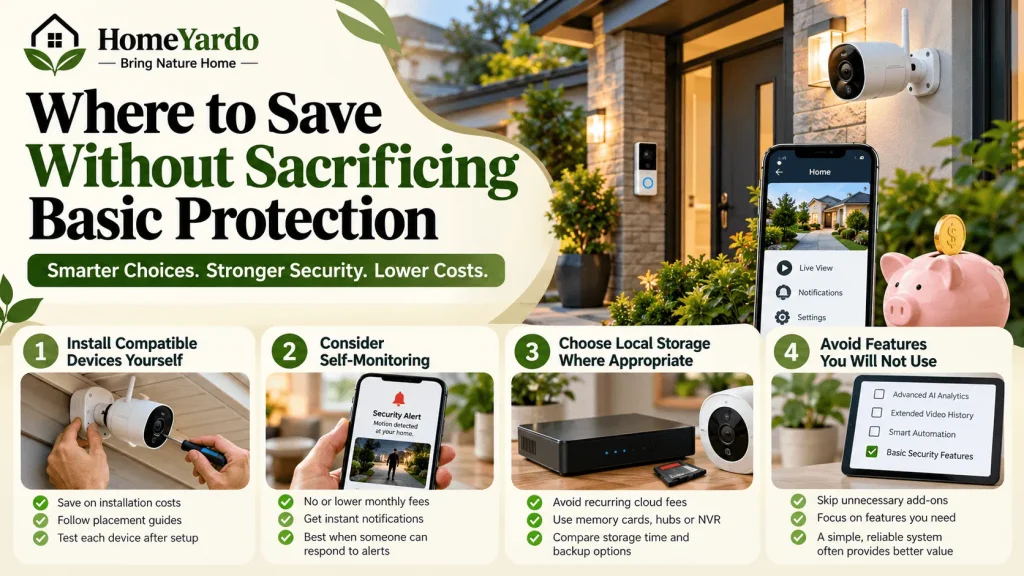
A smaller budget does not necessarily mean accepting poor coverage. It often means being more selective about installation, subscriptions, and optional features.
Install Compatible Devices Yourself
DIY installation can remove a significant upfront expense when equipment is designed for homeowner setup.
Follow manufacturer placement instructions carefully and test every sensor or camera after installation. A device that is installed in the wrong position or loses its connection regularly provides little value regardless of its price.
Consider Self-Monitoring
Self-monitoring can eliminate or reduce monthly monitoring fees.
It works best when household members reliably receive notifications and can respond to them. It may be less suitable when the home is regularly empty and alerts cannot be checked promptly.
Choose Local Storage Where Appropriate
Cloud recording can be convenient, but subscriptions add to the lifetime cost of cameras.
Some systems offer local recording through internal storage, memory cards, hubs, or network video recorders. Compare retention time, remote access, backup options, and what happens if the recording device itself is damaged or stolen.
Avoid Features You Will Not Use
Security products often bundle automation features, premium analytics, extended video history, and other upgrades.
Before paying extra, ask whether the feature solves a real problem.
A basic camera with dependable notifications may provide more value to one household than an expensive model with features that are rarely used.
A Budget Smart Home Security Setup by Priority
Building the system in stages can prevent unnecessary spending.
| Priority | Security Improvement | Purpose |
|---|---|---|
| 1 | Reliable exterior door hardware | Strengthen basic entry security |
| 2 | Door and accessible-window sensors | Detect openings |
| 3 | Video doorbell or front camera | Monitor the main approach |
| 4 | Motion-activated exterior lighting | Improve nighttime visibility |
| 5 | Camera for a genuine blind spot | Expand useful coverage |
| 6 | Smart lock, additional sensors, or monitoring | Add according to household needs |
This approach also makes upgrading easier. Instead of replacing an entire system later, homeowners can add components when the need and budget justify them.
Don’t Ignore Smart Home Security and Privacy
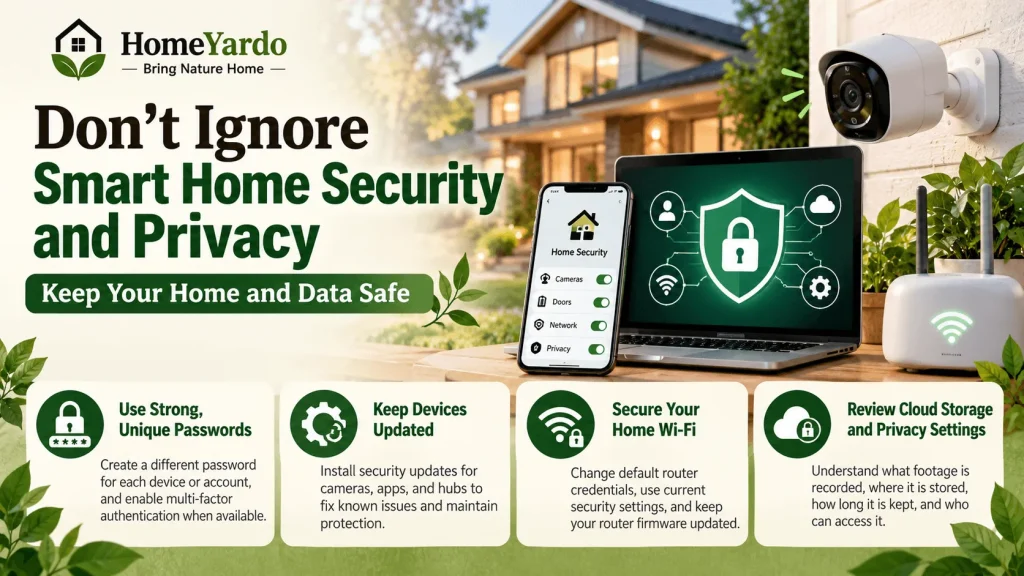
Connected security devices create another area that needs protection: the accounts and network controlling them.
Use Strong, Unique Passwords
Do not reuse the same password across security cameras, email, routers, and other important accounts.
Use a unique password for each service and enable multi-factor authentication when the provider supports it.
Keep Cameras, Apps, and Hubs Updated
Security updates can address known software problems.
Enable automatic updates when appropriate, or periodically check whether the manufacturer is still providing software and firmware support for the device.
This is particularly important when buying heavily discounted older equipment.
Secure Your Home Wi-Fi
Change default router credentials, use current security settings supported by your equipment, and keep router firmware updated.
If a security device still uses a default password, change it during setup.
Review Cloud Storage and Privacy Settings
Before placing internet-connected cameras inside or outside the home, understand what footage is recorded, where it is stored, how long it is retained, and which household members or services can access it.
Also position cameras with other people’s privacy in mind.
Hidden Costs to Check Before Buying
An inexpensive security device can become expensive if its useful features depend on recurring services.
Before purchasing, check for:
- Cloud video storage fees
- Professional monitoring charges
- Contract commitments
- Replacement batteries
- Additional hub requirements
- Paid smart detection features
- Extra-camera fees
- Cellular backup charges
- Compatibility with existing devices
Compare the expected cost over several years rather than looking only at the price printed on the box.
Long-Term Value: Insurance, Deterrence, and Avoided Losses
Home security should not be evaluated only by the purchase price.
Some insurers may offer discounts for qualifying alarm or monitoring systems, but availability and requirements vary by insurer, policy, location, and equipment. Contact your insurance provider before assuming that a particular security system will reduce your premium.
Visible cameras, lighting, locks, sensors, and alarms may also contribute to deterrence, although no device can guarantee that a burglary or other incident will not occur.
The strongest value often comes from reducing exposure to preventable problems while giving household members better information when something unusual happens.
Is a Budget Smart Home Security System Worth It?
For many homeowners, yes—provided the system is built around the property’s actual risks rather than the number of devices included in a package.
Start with physical entry security and the most vulnerable access points. Add sensors and one useful camera before expanding coverage. Decide whether self-monitoring is sufficient, and calculate subscription costs before committing to cloud storage or professional monitoring.
A smaller system that is properly installed, maintained, updated, and regularly used can be more useful than an expensive collection of devices that does not match the property.
FAQ’s
Start with existing door and window security, then add entry sensors and one strategically positioned camera or video doorbell. DIY installation and self-monitoring can reduce upfront and recurring expenses when they suit the household.
Yes. Some security systems support self-monitoring and local video storage without mandatory monthly monitoring. Check individual product requirements because certain features may still require a subscription.
DIY security can be a good option when the equipment is designed for homeowner installation and the system does not require complicated wiring. Correct placement, testing, network security, and maintenance still matter.
Professional monitoring provides another layer of response when you cannot check an alert yourself. Self-monitoring costs less but depends on you or another household member seeing and responding to notifications.
There is no universal number. Camera placement should be based on the property’s entrances, layout, blind spots, and existing coverage. Start with the main approach and add cameras only where they provide meaningful additional visibility.
For many homes, the main entrance is a practical starting point because it covers visitors, deliveries, and a common approach to the property. Other homes may have a driveway, garage, or side entrance that deserves priority.
Some insurers offer discounts for qualifying alarm or professionally monitored systems, but the amount and eligibility requirements vary. Ask your insurer what equipment or monitoring documentation is required before purchasing a system for this reason.
Check video quality, night performance, field of view, weather resistance, power requirements, Wi-Fi reliability, storage options, subscription costs, privacy controls, software support, and compatibility with the rest of your system.